

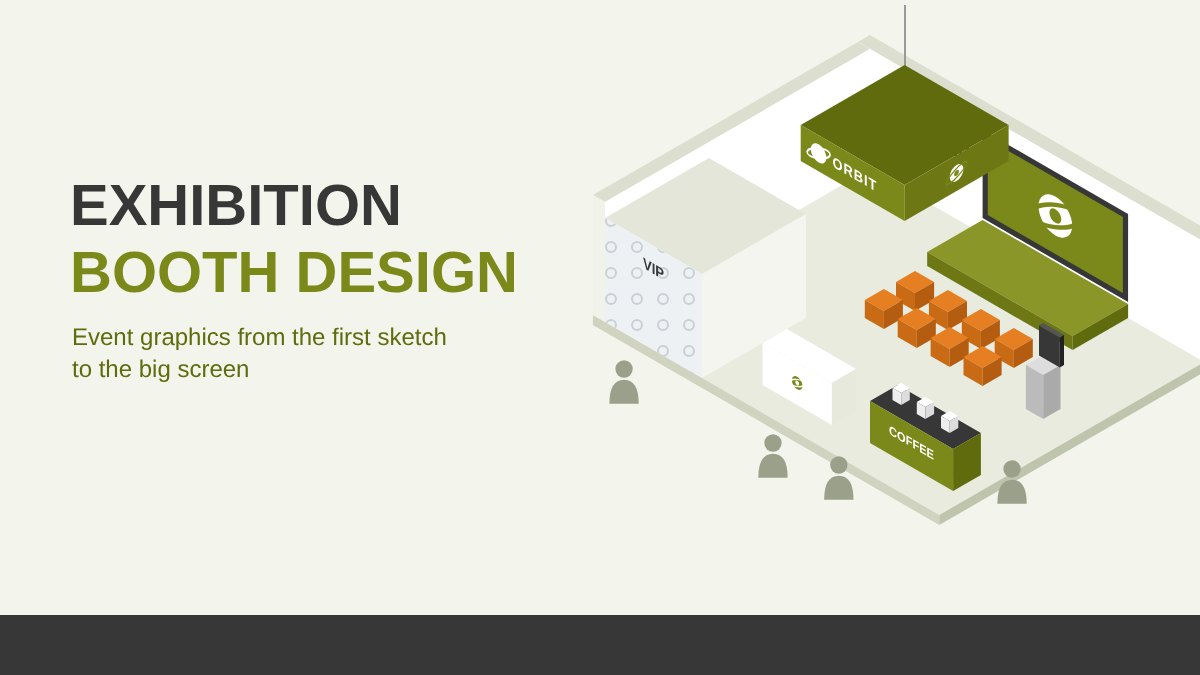
What Exhibition Booth Design Really Includes
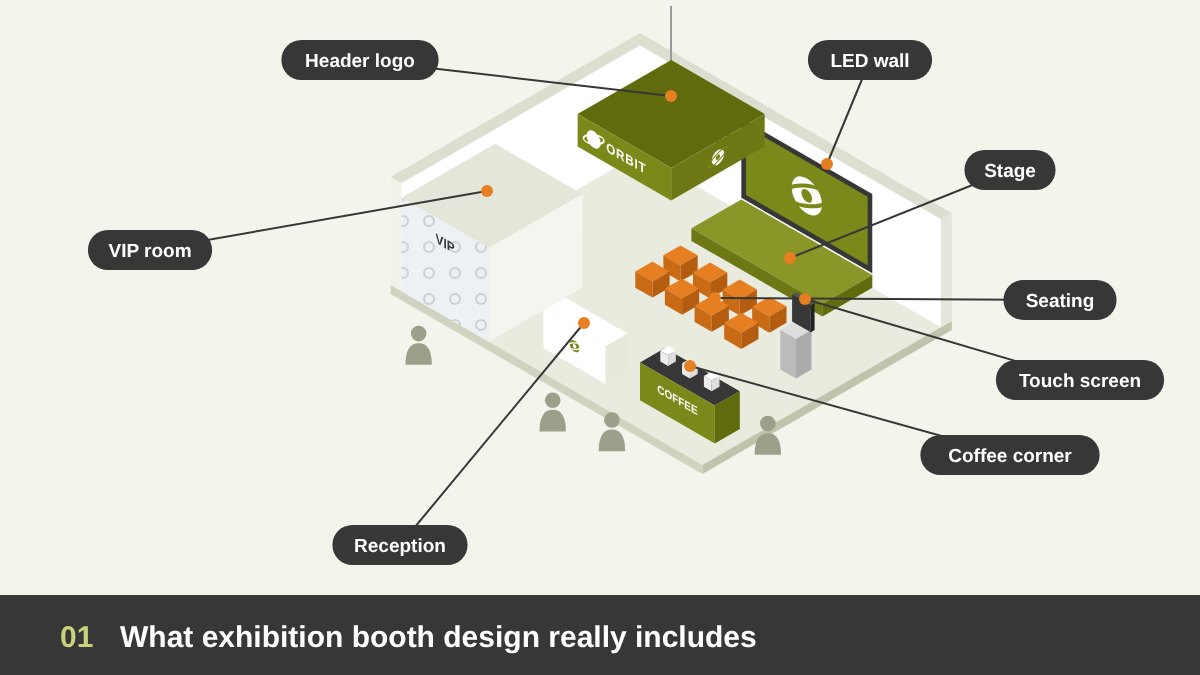
When people hear “event design”, they usually think of the final photos: a beautiful booth, big screens and a crowd. What they do not see is the planning behind it. In my work as an art director on events and exhibitions, I learned that the graphics of an event are not a set of separate designs. The booth, the logo on the header, the screens, the stage, the coffee corner, the VIP room, the touch screens and the presentations are one system, and they must be planned together, from the first sketch.
This guide is about the graphic side of exhibition booth design: how to read the brief and the venue, how to study the booths around you, how to plan the zones and the visitor flow, how to move from a hand sketch to 3D images and an animated walkthrough, where to put the logo and the screens, how to plan the stage and touch screens, how to design the presentations, and how to prepare the files for production. If you manage a team on a project like this, my article on the art of managing graphic design as an art director is a good companion. Here is the short version:
Key takeaways
- Good exhibition booth design starts on paper: the brief, the floor plan, the venue rules and the booths around you, long before any 3D render.
- Plan the visitor flow first: where people enter, stop, sit, drink coffee, watch a presentation or meet in private. The graphics follow the flow.
- Place the logo for three viewing distances (far, middle and close), and never put two screens facing each other.
- Screens, the stage, touch screens and presentations are all part of the booth design, so their content must be designed for distance, light and noise.
- Finish with production specs: scale, resolution, bleed, materials, colors and an on-site checklist, so what gets printed and built matches what was approved.
Start with the Brief, the Floor Plan and the Venue Rules
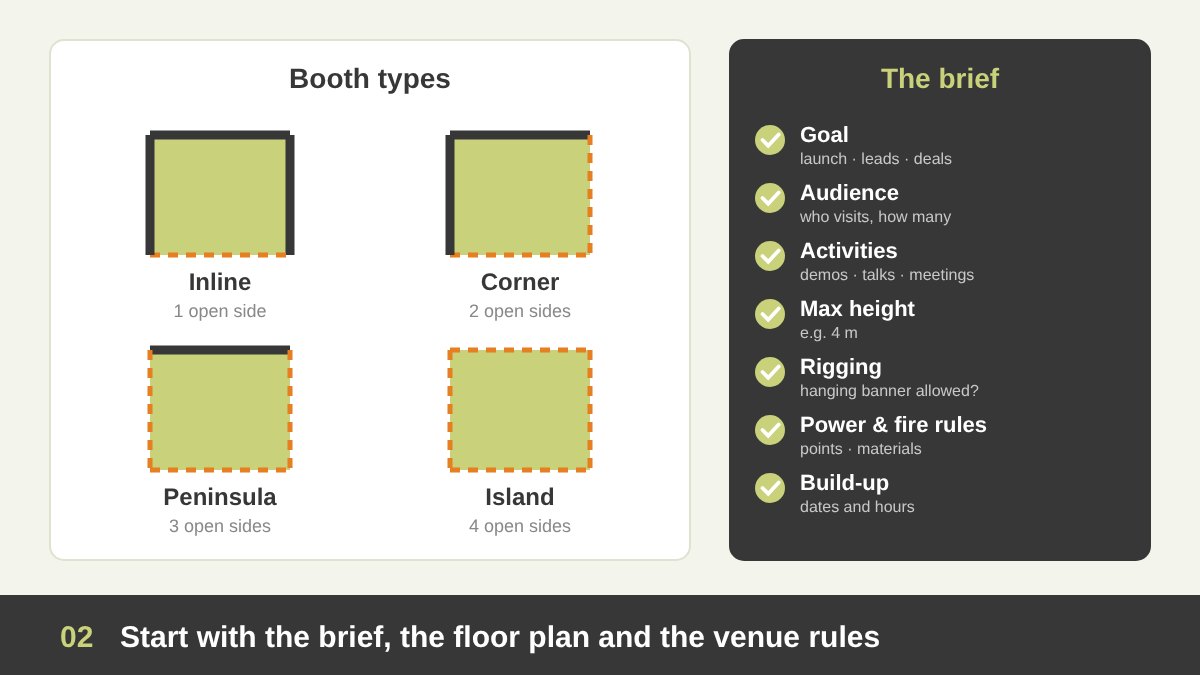
Every good booth starts with questions, not with a design. What is the goal of this event for the brand: launching a product, collecting leads, signing deals, or simply being seen? Who are the visitors: the general public, engineers, government officials, investors? How many people do we expect at the busiest hour? What must happen inside the booth: product demos, meetings, a presentation, a signing ceremony, a press interview? The answers decide the size of each zone, and they decide what the graphics must say.
Then come the technical facts. Get the official floor plan from the organizer and know your booth type: an inline booth has one open side, a corner booth has two, a peninsula has three and an island is open on all four sides. Each type changes where the visitors come from and where the logo must be seen. Read the venue rules carefully: the maximum build height, whether you can hang a banner from the ceiling (rigging), fire regulations, power points, floor loading and the build-up and dismantling times. Many beautiful designs fail simply because they ignored a height limit or a rigging point.
Study the Hall: Neighbouring Booths, Aisles and Visual Noise
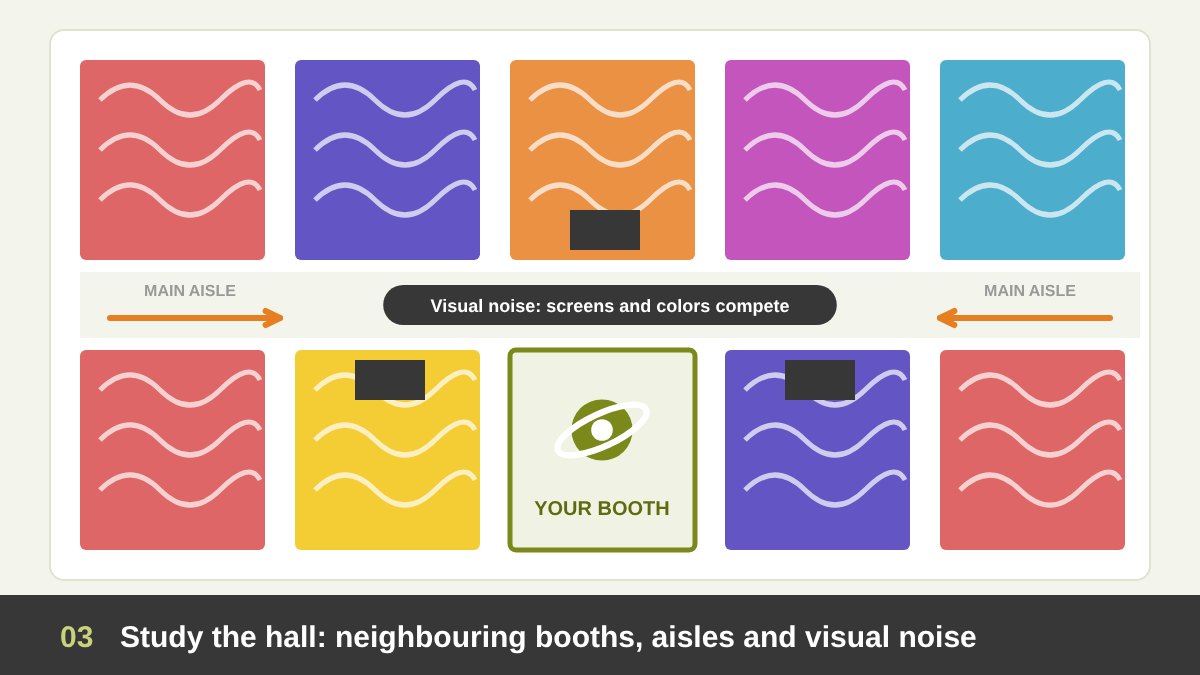
A booth is never seen alone. It is seen next to ten other booths, all trying to shout louder. Before designing, I always ask: who is next to us, who is in front of us, and where do the main aisles and entrances of the hall bring people from? Ask the organizer for the hall map with the exhibitors’ names, look at photos from the previous edition of the same event, and check the brand colors of the big neighbours. If the booth next to you is red and full of moving screens, another red booth full of screens will disappear into it.
The goal is to avoid visual noise, or what we call in Egypt laghwasha: everything mixing into one confusing picture. In a noisy hall, the calm booth often wins. Clean walls, a strong single message, one dominant color and enough empty space make your booth easy to read from a distance. Use height to stand out above the crowd, keep your main screen away from the neighbours’ screens, and think about sound too: a loud video next to another loud video helps nobody. Also respect the aisle: graphics and furniture must stay inside your booth line, so visitors can stop without blocking the traffic.
Zoning and Visitor Flow: Plan the Journey Before the Walls
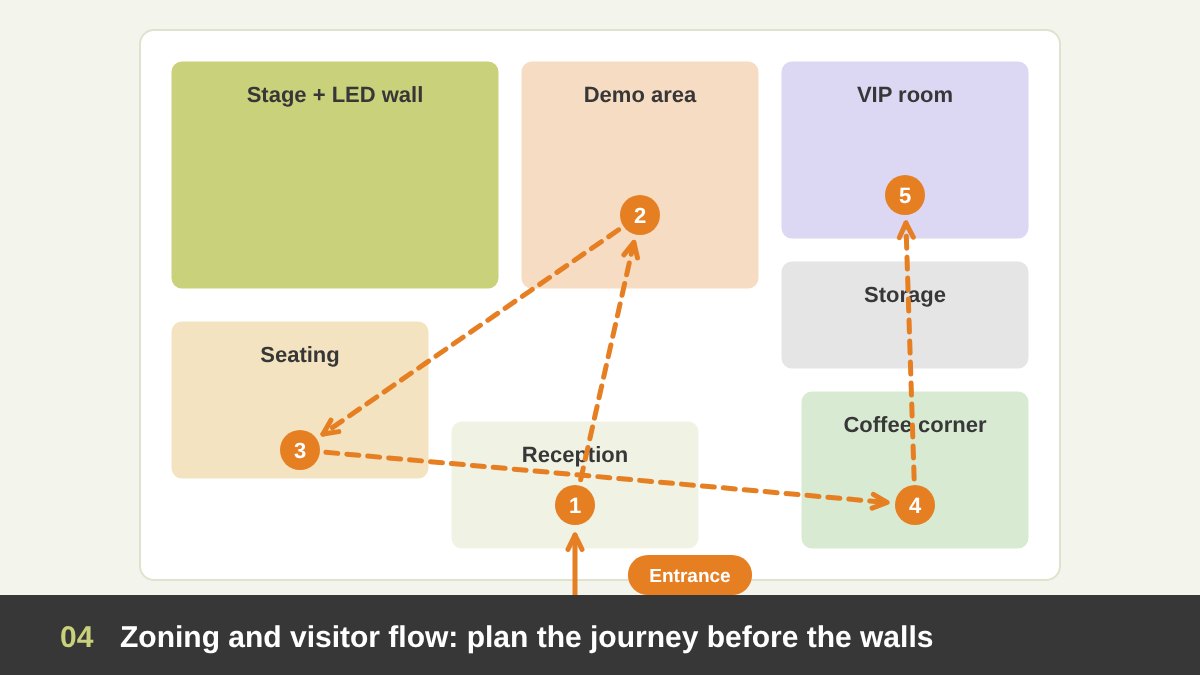
Before drawing walls, I draw the journey. A visitor walks in, gets welcomed at the reception, looks at the products or demos, maybe sits to watch a presentation on the stage, takes a coffee from the coffee corner, and a few important guests are invited to the VIP room for a private meeting. Each of these is a zone, and each zone needs space, light, power, graphics and a clear place in the flow. A simple bubble diagram on the floor plan is enough at this stage.
A few rules make a big difference. Keep the entrance open and inviting; a counter or a wall right at the edge pushes people away. Put the coffee corner towards the side or the back, so the queue does not block the entrance and the visitors walk past your products to reach it. Keep the VIP room at the quietest corner, away from the stage speakers. Leave a storage room for brochures, giveaways, bags and the team’s things, because a booth full of boxes looks unprofessional on the first day. And think about accessibility: wide paths, no steep steps on the platform edge, and a ramp if the floor is raised.
From the First Sketch to 3D Renders and an Animated Walkthrough
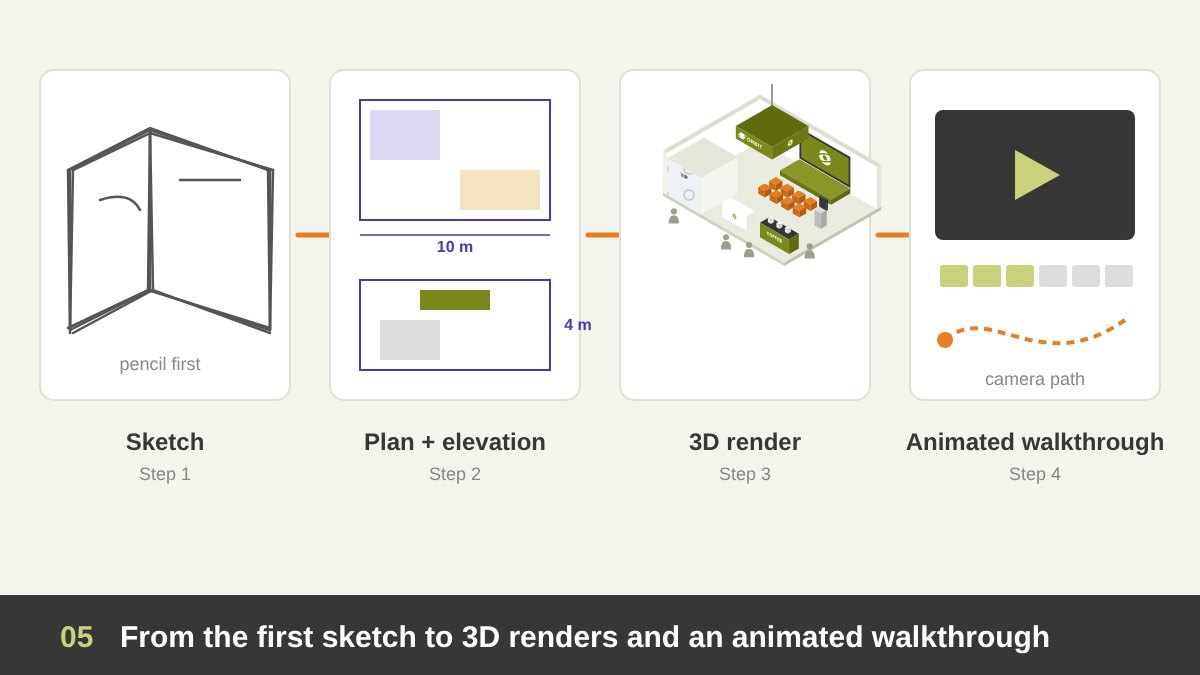
The design always starts with a hand sketch. A pencil is faster than any software: in a few minutes you can try the position of the header, the stage, the screens and the meeting areas, and throw away the ideas that do not work. After the sketch, I prepare a simple plan and elevations with real measurements, so that every wall, screen and logo has a real size and height. This is where the booth becomes a design, not just a nice drawing.
Then comes the 3D model, built in tools like 3ds Max, SketchUp, Blender or Cinema 4D and rendered with realistic lights and materials. The renders show the client the booth from the main aisle, from the corners and from inside, and they help everyone approve the colors, the logo size and the screen positions before any money is spent on production. For bigger projects, I also prepare an animated 3D walkthrough: a short video that moves through the booth like a visitor. It sells the idea to the decision makers, and the same animation can later be used on social media to announce the event. You can see some of my motion and video work here.
Logo Placement: Sightlines and the Three Viewing Distances
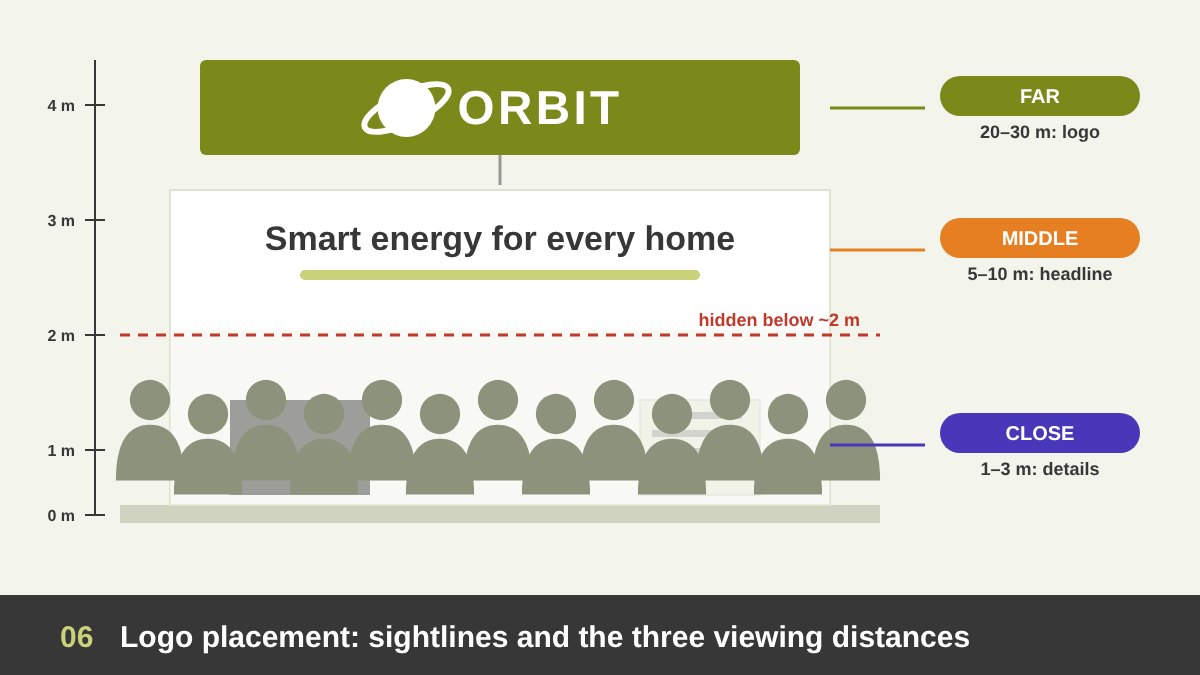
The most common mistake in booth graphics is putting the logo where people cannot see it. In a busy hall, everything under about two meters is hidden by people’s heads. That is why the main logo must sit high: on a header, a tower, or a hanging banner above the booth, visible from the far end of the aisle and from every open side. On an island booth, the logo must appear on all four sides, or on a hanging ring or cube that turns the logo towards every direction.
I plan the graphics for three distances. From far away (20 to 30 meters), visitors should only see the logo and maybe one short message. From the middle distance (5 to 10 meters), they should understand what you offer: a headline and a strong key visual. From close up (1 to 3 meters), they can read the details, the screens and the brochures, at eye level. If you put long text on the header, nobody reads it; if you put the logo only at eye level, nobody sees it. A logo with a clear, simple form works much better at these sizes, which is one of the qualities I explain in good logo design.
| Viewing distance | What visitors should get | Graphic elements | Height and size guide |
|---|---|---|---|
| Far (20–30 m) | Who you are | Logo and one short message | Header above 3 m; letters 15–25 cm or more |
| Middle (5–10 m) | What you offer | Headline, key visual, attract screen | 2–3 m from the floor; letters 5–10 cm |
| Close (1–3 m) | The details | Product info, screens, touch screens, brochures | Eye level 1.2–1.7 m; text 1–3 cm |
| Seated (stage) | The presentation | Stage screen and slides | Screen bottom at 1.8–2 m; last row within ~6× screen height |
Screens: Placement, Angles and Why Two Screens Should Never Face Each Other
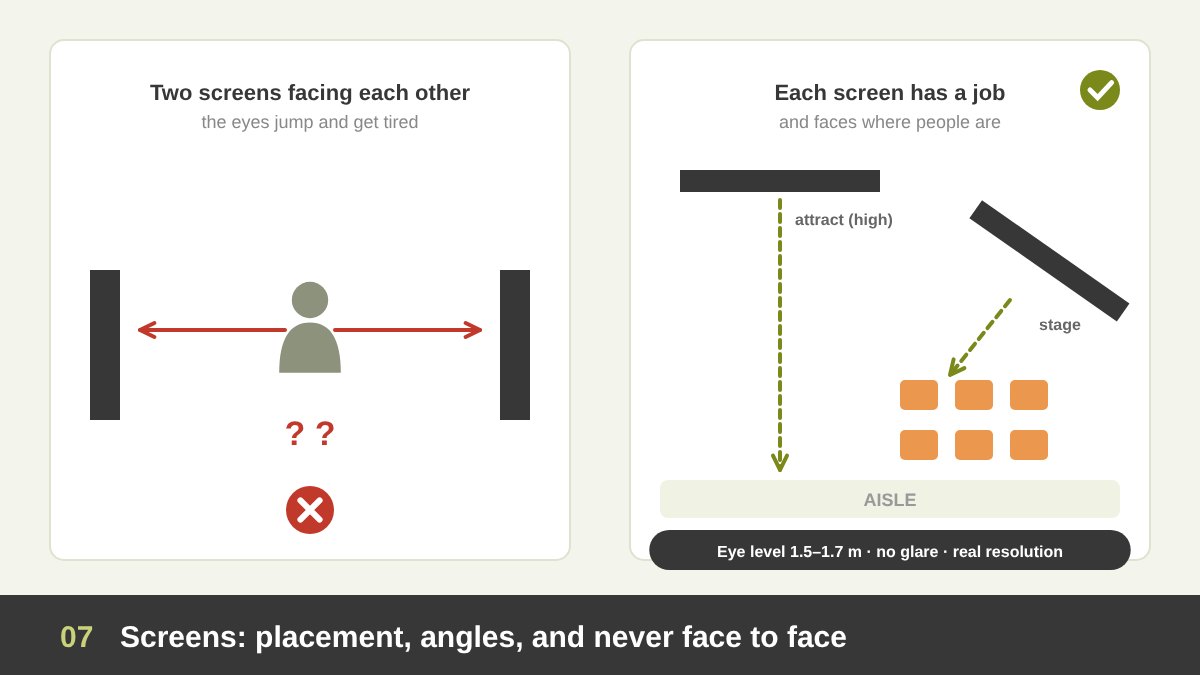
Screens attract attention, but too many screens in the wrong places create chaos. Every screen must have a job: a big LED wall to attract people from the aisle, a screen behind the stage for presentations, a screen in the VIP room for private meetings, a touch screen for product exploration. If a screen has no clear job, remove it. And never place two screens facing each other: the visitor between them does not know where to look, the two videos fight, and the eyes get tired very quickly. Turn them towards the places where people actually stand or sit.
Plan the height and angle of each screen. Attract screens should be high enough to be seen above the crowd; information screens should be at eye level, around 1.5 to 1.7 meters to the center. Check the lights: a strong spotlight on a glossy screen creates glare that kills the image. Choose the right technology for the distance. For LED walls, a simple rule is that the minimum comfortable viewing distance in meters is roughly the pixel pitch in millimeters, so a 2.5 mm LED wall looks good from about 2.5 meters and better from two or three times that. Finally, know the exact resolution and aspect ratio of every screen before designing the content, because an LED wall is rarely a standard 16:9 screen.
The Stage, the Seating and the Big Presentation Screen
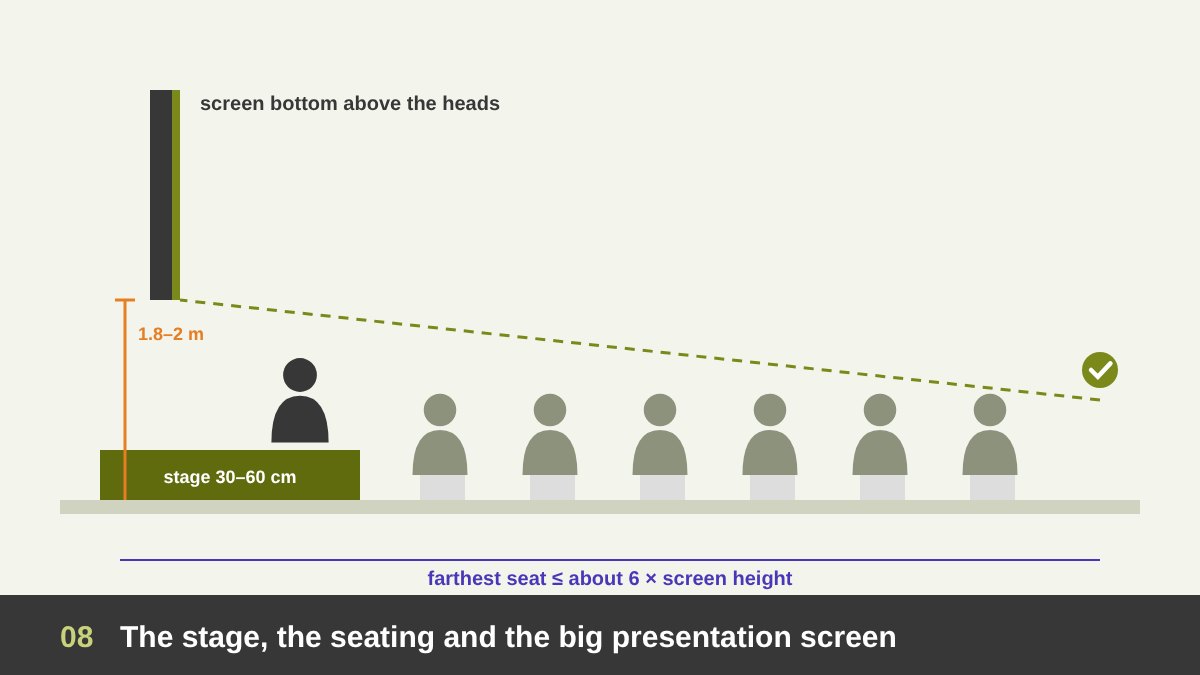
If the booth has a stage for talks, launches or panel discussions, plan it as a small theater. Decide how many people will sit and how many will stand, and design the seating so that every seat sees the screen and the speaker. The stage should face the inside of the booth or a wide part of the aisle, so the audience does not block the entrance. A platform of 30 to 60 centimeters helps the speaker be seen, and the speaker needs a clear place to stand that does not cover the screen.
The big screen behind the stage must be high enough: its bottom edge should usually be at least 1.8 to 2 meters from the floor, so the people in the back rows see over the heads in front. A common rule for presentations with text is that the farthest viewer should not be more than about six times the screen height away. Also plan the sound, so it does not disturb the meetings or the neighbouring booths, a place for the technician, cables that are hidden and safe, and a branded backdrop that looks good in photos, because the stage is where most of the event photos and videos are taken.
The Coffee Corner and the VIP Room: Hospitality as Part of the Brand
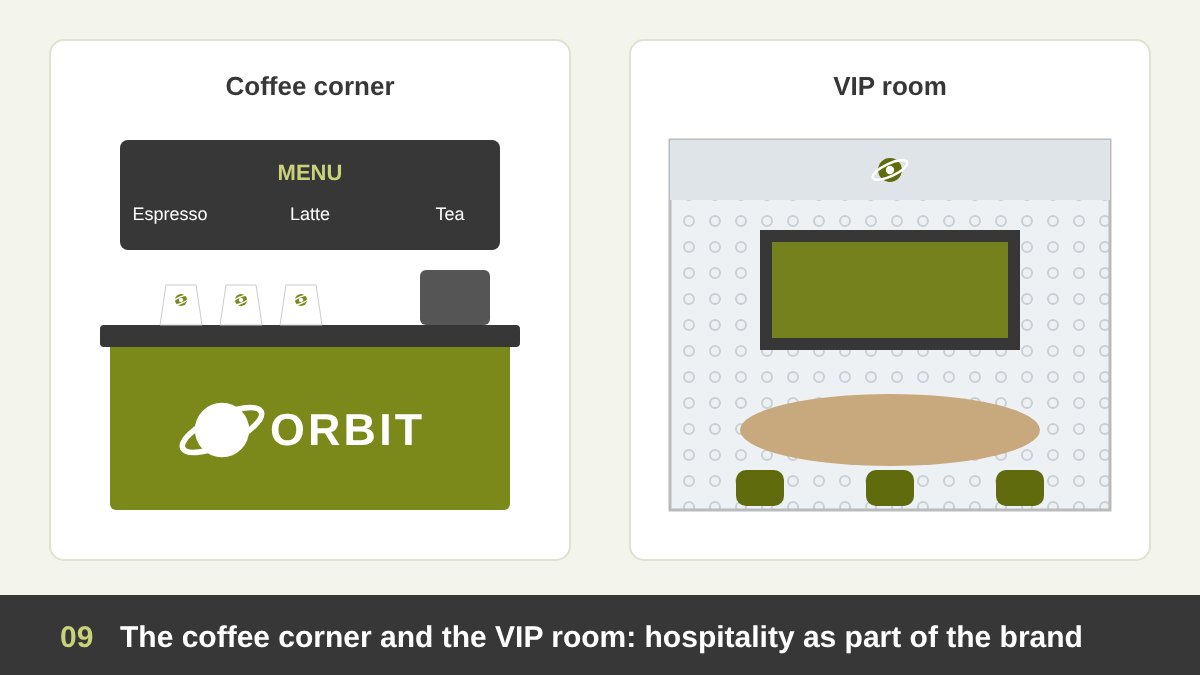
The coffee corner is one of the busiest places in any booth, and one of the best branding opportunities. The counter front, the menu board, the cups, the napkins and even the sleeve of the coffee cup can carry the brand in a light, friendly way. Keep the counter at a comfortable height, plan a place for the queue, a bin, power and water, and make sure the smell and noise of the machines do not reach the meeting areas.
The VIP room is the opposite: it should feel quiet, private and premium. Use frosted film on the glass with a pattern from the brand identity, so it gives privacy without looking like a closed box. Inside, a comfortable meeting table, good lighting, a screen for private presentations, a small storage cabinet and a few refined brand touches are enough. Branding here should be subtle, because the guests already know who you are. The aim is to make them feel important, not to sell to them.
Touch Screens and Interactive Stations
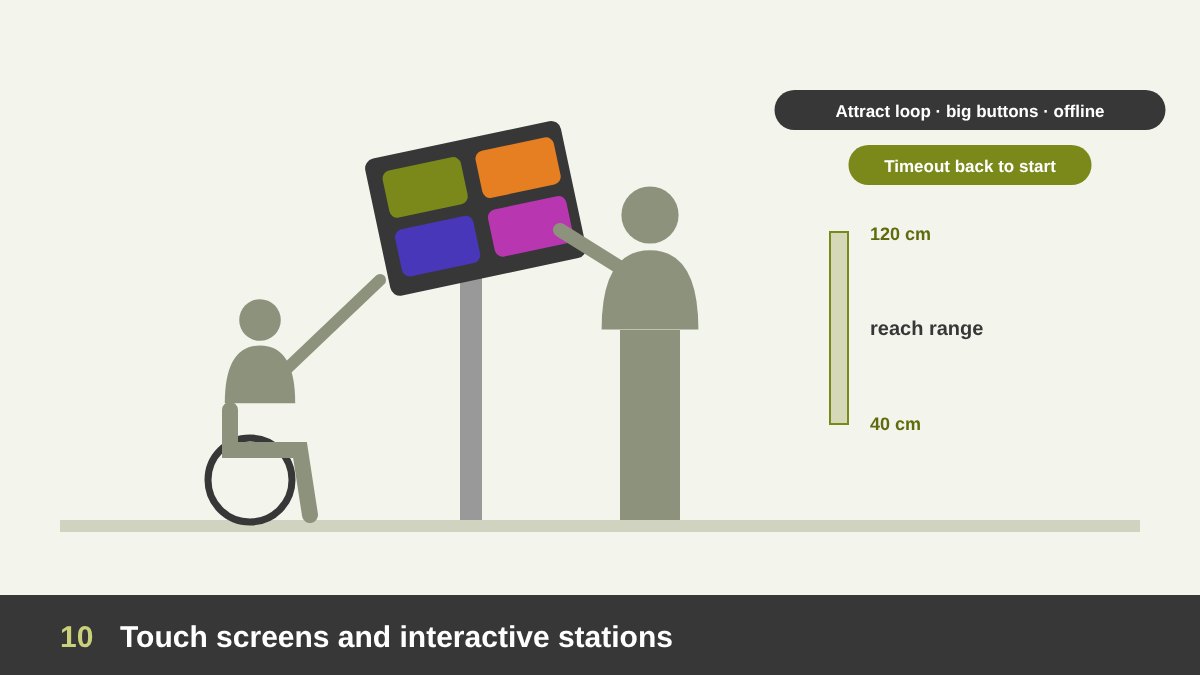
Touch screens let visitors explore products, catalogs, maps or games on their own, but only if they are planned well. Place them where people can stop without blocking the flow, at a comfortable height for standing users, and keep at least one station reachable from a wheelchair: interactive controls should stay within about 40 to 120 centimeters from the floor. A slight tilt reduces reflections and makes the screen easier to use. Leave enough space around each station, because people tend to gather behind the person who is touching.
Designing the interface is different from designing a website. The buttons must be large and far from each other, the text short and big, and the main actions obvious within seconds. The screen needs an attract loop, a short animation that invites people to touch when nobody is using it, and a timeout that returns to the start after a minute without use. Make the content work offline, because the event Wi-Fi is never reliable, and if you collect visitor data, ask for very little and explain why. If you design interfaces, my work in the portfolio shows how I approach UI for different screens.
Designing Presentations and Screen Content for Events
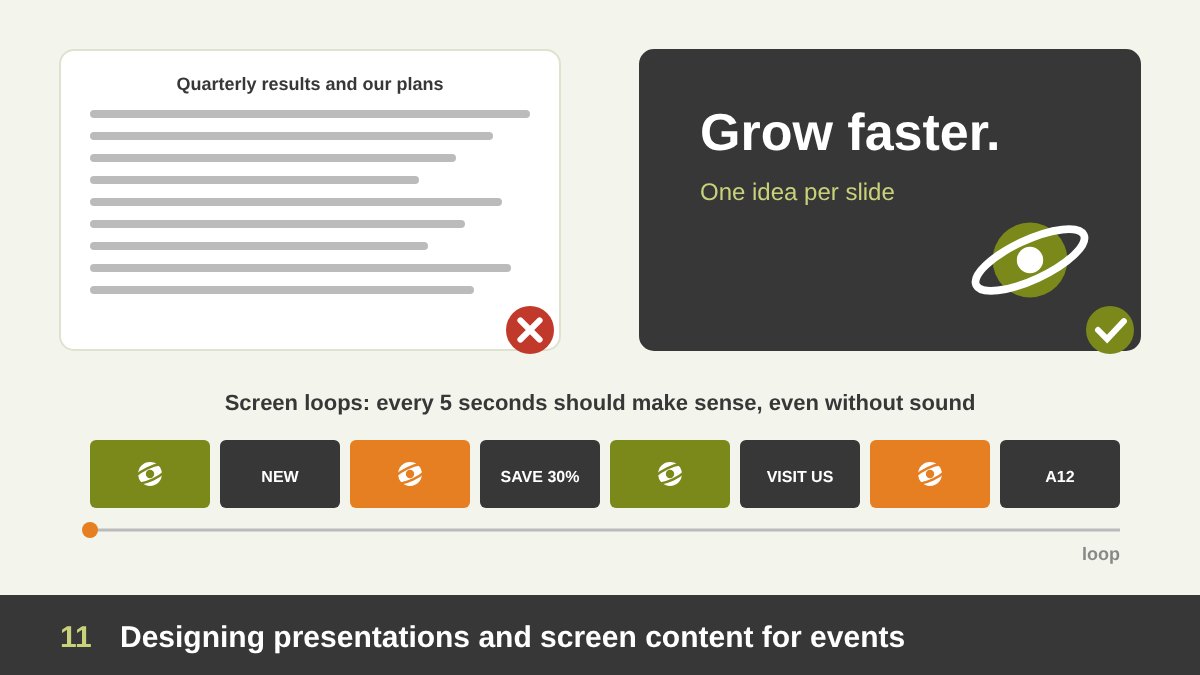
A presentation that looks good on a laptop can fail completely on an event screen. The audience sits far away, the hall is bright and noisy, and people walk in and out. So the rules change: one idea per slide, big headlines, very little text, strong contrast and large, simple visuals. Use the brand fonts and colors, but test them on a big screen, because thin fonts and light grey text disappear. Design for the real ratio and resolution of the stage screen, and keep important content away from the edges.
Screen loops around the booth are even harder, because nobody watches them from the beginning. Each loop should make sense in any five-second moment: short messages, the logo appearing often, smooth motion, and no story that needs sound, because most of the time the sound is off or lost in the noise. Prepare the files in the formats the AV team asks for, bring backups on two USB drives, and rehearse on the real screens during the build-up day. You can see examples of my presentation design work in the portfolio, and AI tools can speed up the first drafts, as I explain in AI and Adobe for graphic designers.
Lighting, Materials, Wayfinding and Brand Consistency
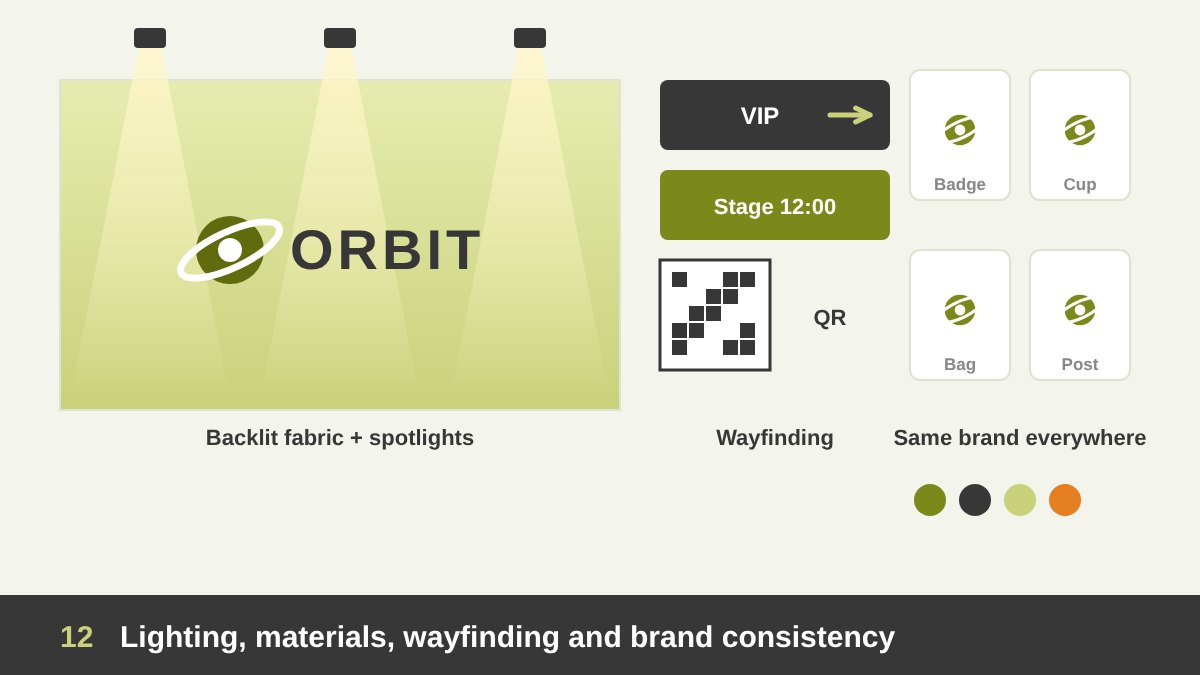
Lighting can make or break the graphics. Exhibition halls are often lit with cold, flat light, so the booth needs its own lighting: spotlights on the logo and the key visuals, soft light in the VIP room and the coffee corner, and backlit fabric (lightboxes) for large walls, which give bright, even colors that look great in photos. Always check the colors under the real lights, and ask the producer for material samples, because the same color looks different on fabric, vinyl, acrylic and wood.
Then think about consistency and wayfinding. The visitor sees your brand on the website, the invitation, the badge, the booth, the giveaways, the uniforms and the social media posts. All of these must speak the same visual language: the same logo rules, colors, fonts and tone. Inside a large booth, add small wayfinding signs for the meeting rooms, the stage schedule and the coffee corner, and include a QR code for the catalog or the registration form. If the brand identity itself is not clear yet, start there; my guide on branding vs logo design explains why.
Print Production Specs and the Final On-Site Checklist
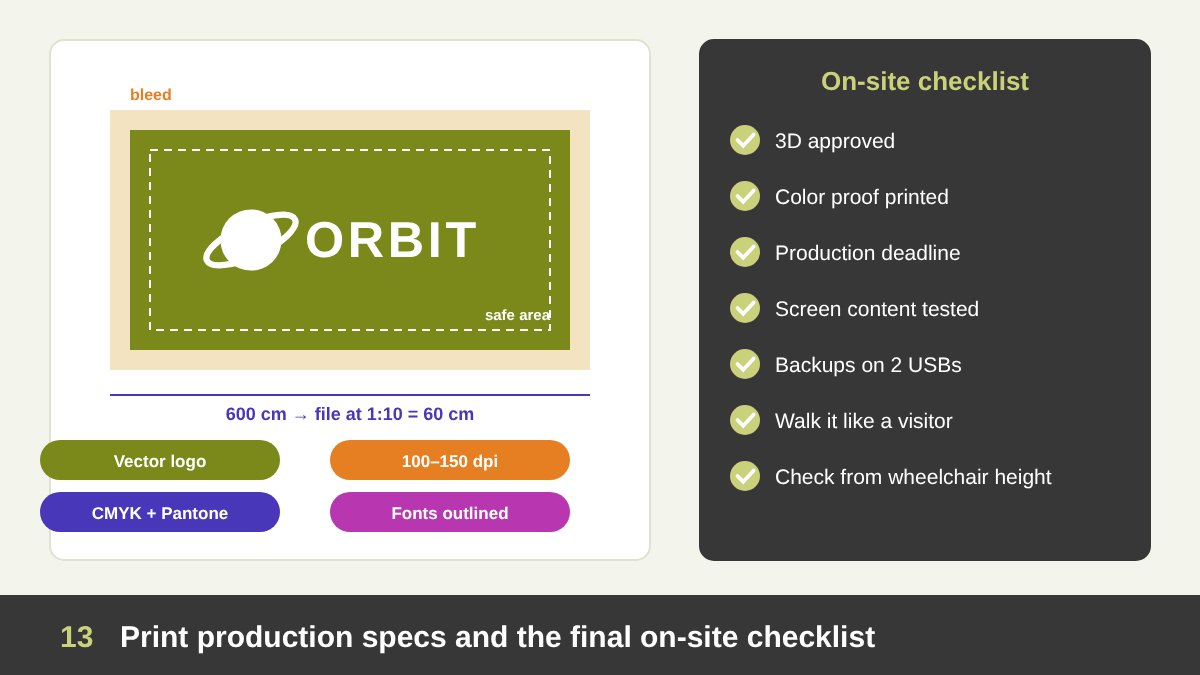
The last step is the one that protects everything you designed. Large-format files are usually prepared at 1:10 scale or at full size at 100 to 150 dpi; for very large banners seen from far, lower resolution is fine, but logos and text must always be vector. Ask the producer for the exact sizes, the bleed (often 2 to 5 centimeters on fabric and large panels) and the safe area, and keep the important elements away from joints between panels. Work in CMYK, give Pantone references for the brand colors, outline or package the fonts, and name every file by its wall and size, so nothing gets printed in the wrong place.
Before the event, make a checklist: final approvals on the 3D, a printed color proof, the production deadlines (usually two to three weeks before the event), the screen content tested on the real resolution, the backups, the furniture and the giveaways. On the build-up day, walk the booth like a visitor: from the far end of the aisle, from each open side, from the last seat in front of the stage and from a wheelchair height. Fix what you see, take photos, and only then let the doors open. If you are planning an exhibition booth or an event and want the graphics planned as one clear system, get in touch with me and let us talk about it.
Exhibition Booth Design: Frequently Asked Questions
What is exhibition booth design?
Exhibition booth design is the planning and design of a company’s space at a trade show or event: the layout, zones, structure, logo placement, graphics, screens, lighting and materials, so the booth attracts visitors, communicates the brand clearly and supports the goals of the event.
Where should the logo go on an exhibition booth?
The main logo should be placed high, on a header, tower or hanging banner, usually above 3 meters, so it is visible above the crowd from far away and from every open side of the booth. Smaller logos can repeat at eye level near the reception and on the screens.
How do you plan screens in a booth?
Give every screen a clear job, place it towards where visitors stand or sit, avoid two screens facing each other, keep information screens at eye level and attract screens high, check for glare from the lights, and design the content for the exact resolution and ratio of each screen.
Why do you sketch a booth before designing it in 3D?
A hand sketch is the fastest way to test the layout, the flow and the position of the logo, screens and zones. Once the idea works on paper, the plan and elevations give it real sizes, and the 3D model and renders are used for client approval and production.
How should event presentations be designed?
Event presentations should have one idea per slide, large headlines, little text, strong contrast and simple visuals, designed for the real screen ratio and tested on the real screen. Screen loops should make sense without sound and in any few seconds of viewing.
What files does a printer need for booth graphics?
Printers usually need print-ready PDFs at 1:10 or full scale, with vector logos and text, images at 100–150 dpi at full size, the requested bleed and safe area, CMYK colors with Pantone references, outlined or packaged fonts, and clear file names for each wall and panel.